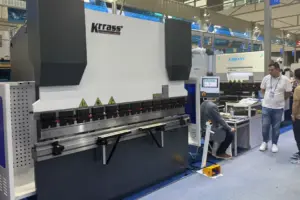
If you want to buy fiber laser cutting equipment in 2026, you will see prices start at about $10,000. Some machines can cost more than $100,000. KRRASS is a top company. Their RAS-3015-Smart 6000W fiber laser cutting machine works well and is very reliable. Many things change the price you pay for a laser cutter. Look at the table below to learn what affects the first cost:
| Factor | What You Should Know |
|---|---|
| Laser Power | More wattage costs more money and lets you cut more things. |
| Brand and Manufacturer | Well-known brands like KRRASS often give better quality and help. |
| Machine Specifications | How fast, how exact, and special features change the first price. |
| Software and Integration | Good software helps you cut better but can cost more. |
| Support and Warranty | Good service after you buy keeps your money safe. |
| Operational Costs | You will pay for energy and fixing the machine over time. |
Knowing these things helps you spend your money wisely on laser cutting technology.
Table of Contents
Key Takeaways
- Fiber laser cutting machines cost about $10,000 at the lowest. The best models can cost over $100,000.
- The price depends on laser power and brand name. Machine features and software quality also matter.
- Entry-level machines are good for small shops. They cost between $10,000 and $20,000. These are best for cutting thin metals.
- Mid-range machines cost from $23,000 to $50,000. They have more power and cut thicker materials faster.
- Industrial-grade machines cost $60,000 or more. These are made for big factories and heavy-duty cutting.
- Buying good after-sales support and warranties is smart. This can help you save money on repairs later.
- Automation features can make work faster and cheaper. They are helpful if you need to cut a lot of things.
- Always think about what you need and how much you can spend. This helps you pick the right machine.
Laser Cutting Equipment Price Ranges
If you want a laser cutting machine in 2026, you will see many prices. The price changes based on the machine type, its power, and what you want to cut. Let’s look at the types of laser cutting machines so you can choose the best one for you.
Entry-Level Laser Cutting Machines
Wattage and Applications
Entry-level laser cutting machines have lower wattage, usually between 1.5kW and 3kW. These machines are good for small shops or new businesses. You can use them to cut thin metals like stainless steel, carbon steel, and aluminum. Many people use these machines for:
- Metal shops that need to cut metals fast and well.
- Car shops that make chassis parts or body panels.
- Medical makers who need clean cuts for tools.
- Electronics companies that cut thin metal sheets for boards.
- Furniture designers who make custom metal patterns.
- Jewelry makers who cut designs in gold, silver, or other metals.
Price Range
Entry-level laser cutting machines cost about $43,000 to $72,000. In dollars, you pay from $10,000 to $20,000 for a new machine. Some very cheap machines cost $200, but they are for hobbies and cannot cut thick metals.
KRRASS Entry-Level Models
KRRASS has entry-level laser cutting machines. These models work well and are a good deal. You get a machine that cuts many metals with high accuracy. KRRASS makes these machines easy to use, so you can start fast. If you want a good laser cutting machine for a small shop, KRRASS entry-level models are a smart pick.
Mid-Range Laser Cutting Machines
Wattage and Applications
Mid-range laser cutting machines have power between 3kW and 6kW. These machines cut thicker metals and work faster than entry-level ones. You can use them in busy metal shops, small factories, or growing businesses. They cut steel, aluminum, copper, brass, and more. Many companies use these machines for:
- Making parts for cars, planes, and electronics.
- Cutting big metal sheets for building.
- Making custom metal signs or panels.
Price Range
Mid-range laser cutting machines cost about $115,000 to $215,000. In dollars, you pay between $23,000 and $50,000 for a good machine. The price is higher if you want more features or a bigger cutting bed.
KRRASS RAS-3015-Smart 6000W
The KRRASS RAS-3015-Smart 6000W is a top mid-range machine. This laser cutting machine has 6000W of power. You can cut thick metals fast and with great accuracy. The working area is 3000mm x 1500mm, which fits most sheets. You get smart features like a smart cutting head, fast servo motors, and an easy control system. The price for this model is $23,300. It is one of the best laser cutting machines for businesses that want high power but not a huge cost.
Tip: If you want a machine that grows with your business, the RAS-3015-Smart 6000W gives you strong power, speed, and value.
Industrial-Grade Laser Cutting Equipment
Wattage and Applications
Industrial-grade laser cutting machines have the most power, from 8kW up to 20kW or more. These machines cut very thick metals and work fast, even for hard jobs. You will see these machines in big factories, shipyards, and aerospace companies. They handle big jobs and cut all kinds of metals, like steel, titanium, and copper.
Price Range
Industrial-grade laser cutting machines cost over $287,000. In dollars, you pay $60,000 or more. The best laser cutting machines in this group can cost over $100,000, especially if you want special features or custom sizes.
KRRASS High-End Models
KRRASS makes high-end laser cutting machines for heavy work. These models give you top power, speed, and accuracy. You can cut thick metals all day and keep good quality. KRRASS high-end machines have smart controls, strong support, and advanced automation. If you need the best laser cutting machines for big jobs, KRRASS has a model for you.
Note: Always check the price and features before you buy. The right laser cutting machine will save you time and money.
Here is a table to help you compare the main types of laser cutting machines and their price ranges in 2026:
| Machine Type | Typical Wattage | Applications | Price Range (yuan) | Price Range (USD) |
|---|---|---|---|---|
| Entry-Level | 1.5kW – 3kW | Small shops, thin metals | 300,000 – 500,000 | $10,000 – $20,000 |
| Mid-Range | 3kW – 6kW | Growing businesses, thicker metals | 800,000 – 1,500,000 | $23,000 – $50,000 |
| Industrial-Grade | 8kW – 20kW+ | Factories, heavy industry | 2,000,000+ | $60,000+ |
You can see that price and features change a lot between laser cutting machines. Think about what metals you want to cut, how thick they are, and how much you need to make. This will help you pick the best laser cutting machine for your business.
Key Factors Affecting Laser Cutting Machine Cost
Laser Power and Performance
Impact on Speed and Thickness
When you look at laser cutting equipment, power matters a lot. The power level decides how fast you can cut and what thickness of metals you can handle. If you work with thin material, a lower power machine does the job well. For thicker metals, you need more power. High power means you can cut faster and handle tough jobs. Here’s a quick table to show how power affects your work:
| Power Level | Suitable Thickness | Key Characteristics |
|---|---|---|
| Lower Power | Under 10mm | Cost-effective, high-precision work on thinner materials. |
| Medium Power | Wide range | Good speed and quality for various thicknesses. |
| High Power | Over 20mm | Maximum speed and productivity for industrial-grade cutting. |
If you plan to cut a wide range of metals, you want a machine with medium or high power. This lets you switch between different thickness levels without slowing down.
Price Implications
The price goes up as you choose more power. Lower power machines cost less, but they may not handle cutting thicker material. Medium power machines give you flexibility for many jobs. High power machines cost the most, but they cut thick metals quickly and boost your productivity. You should match the power to your needs so you don’t pay for more than you use.
Cutting Bed Size
Standard vs. Custom Sizes
You also need to think about the size of the cutting bed. Most shops use standard sizes because they fit common sheets of material. Standard beds help you save money and reduce waste. If you need to cut special shapes or very large metals, you might want a custom bed.
- Standard sheet sizes keep your price lower and help you use material efficiently.
- Custom sizes cost more and may lead to extra waste.
Cost Differences
Choosing a standard bed size keeps your price down. Custom beds add to the price because they need special parts and more work to build. If you don’t need a custom size, stick with standard. You will save money and get your machine faster.
Brand and Manufacturer
KRRASS Value Proposition
The brand you pick changes the price and the value you get. KRRASS gives you high-quality machines with strong support. You get advanced features that help you cut metals faster and more accurately. KRRASS also offers good warranty options, so you worry less about repairs.
- The total cost of ownership matters more than just the first price.
- Good support and reliable machines save you money over time.
Global Market Comparison
KRRASS stands with top brands like IPG and Trumpf. These brands have higher prices because they offer great quality and support. When you buy from KRRASS, you invest in long-term performance and less downtime. European brands like Trumpf cost more, but they give you advanced engineering and durability. KRRASS gives you a smart balance of price, quality, and support, making it a smart choice for many buyers.
Automation and Features
Material Handling
When you look at modern laser cutting equipment, automation stands out. You can add features like automatic loading and unloading systems. These features move metal sheets onto the cutting bed and take finished parts away. You do not need as many workers for these tasks. This lowers your labor costs and helps you avoid mistakes that people sometimes make. You get more consistent and high-quality cuts. Many shops now use automation to keep up with busy schedules and tight deadlines.
Industry 4.0 technology also plays a big role. Machines can now connect to your network and share data. You can track jobs, check machine health, and plan maintenance before problems happen. This keeps your shop running smoothly and saves money over time.
Productivity Enhancements
You want your laser cutting machine to work fast and make clean cuts. Productivity features help you do just that. Here is a table to show how these features can affect your investment:
| Factor | Impact on Investment Cost |
|---|---|
| Higher Cutting Speeds | Cuts your cost per part and helps you make more products. |
| Precision | Gives you smooth edges and less waste. |
| Reduced Maintenance | Means fewer repairs and lower running costs. |
| Ease of Use | Lets your team learn quickly and work better. |
| Advanced Software | Helps you use every bit of material and plan jobs faster. |
| ROI Calculation | Shows you how much you save compared to what you spend. |
When you choose a machine with these features, you get more value for your money. You spend less time fixing mistakes or waiting for repairs. Your team can focus on making great products.
Software and Controls
CNC Systems
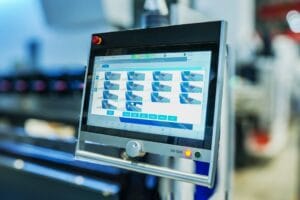
The control system is the brain of your laser cutting machine. CNC (Computer Numerical Control) systems let you program cuts with high accuracy. In 2026, many machines come with smart features like AI that can adjust settings for the best results. Some systems even let you monitor your machine from your phone or computer. This means you can spot problems early and keep your machine running longer.
User Interface
A good user interface makes your job easier. You want a screen that is easy to read and simple to use. Advanced software, like CAD/CAM programs, helps you design parts and plan how to cut them. Some machines let you nest parts close together, so you waste less metal. Others offer remote monitoring, so you can check on your machine from anywhere.
Here is a quick look at how different software and control systems can affect price:
| Software/Control System Type | Impact on Pricing |
|---|---|
| AI Integration | Lowers running costs by picking the best settings. |
| Advanced CAD/CAM Software | Makes part design and cutting more efficient. |
| Remote Monitoring and Diagnostics | Reduces downtime and saves money on repairs. |
After-Sales Support
Warranty and Service
You want to know your investment is safe. A good warranty and service plan gives you peace of mind. Machines with strong support might cost more at first, but they save you money in the long run. You get quick help if something goes wrong. You also get easy access to spare parts, so you do not wait long for repairs. This keeps your shop working and your customers happy.
| Aspect | Description |
|---|---|
| Initial Cost | You pay more upfront for better support and warranty. |
| Long-Term Savings | Good service and spare parts lower your running costs. |
| Total Cost of Ownership | Less downtime and longer machine life save you money over time. |
KRRASS Support Advantages
When you choose KRRASS, you get more than just a machine. You get a partner who cares about your success. KRRASS offers a two-year limited warranty and a 30-day money-back guarantee. Their team helps you with setup, training, and any questions you have. You can count on fast service and expert advice. This support helps you get the most from your laser cutting equipment and keeps your business running strong.
Tip: Always check what kind of support comes with your machine. Good service can make a big difference in your total costs and your peace of mind.
Cost of Owning a Laser Cutter: Additional Expenses
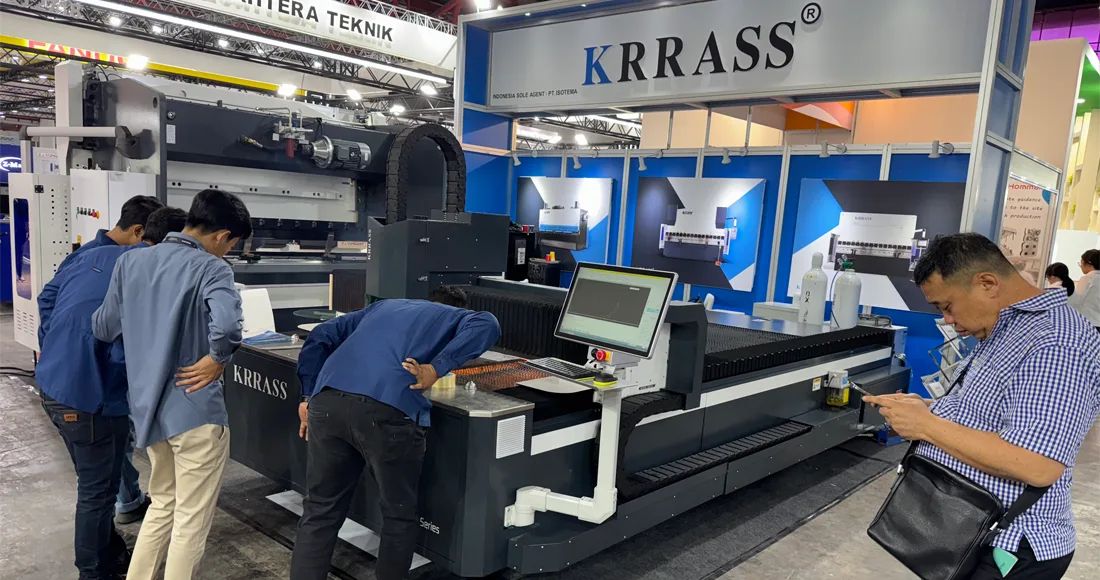
Installation and Setup
Site Preparation
You need to get your shop ready before your laser cutter arrives. You may have to clear space for the machine. The floor must be strong enough to hold the equipment. Make sure you have the right power supply. Some machines need special air systems or dust control. If you cut different materials, you might need separate storage or safety areas. Getting your shop ready costs money at the start. If you skip this step, you could have delays or pay extra later.
Professional Fees
Experts help you set up your laser cutter. Electricians connect the power. Technicians install and test the machine. You may pay for delivery and unloading. These expert fees add to your first costs. Ask for a full price quote that includes these fees. This helps you know what you will pay and plan your budget.
Training and Operation
Operator Training Options
Your team needs training to use the laser cutter safely. Training is important. Here are some training costs you may have in 2026:
- First training for operators
- Extra classes to improve skills
- Higher pay for skilled workers
You may pay for classes or online lessons. Some companies teach your team at your shop. You might send workers for more lessons each year. Skilled workers often want higher pay, so add that to your costs.
KRRASS Training Support
KRRASS makes learning easy. When you buy a machine, you get expert trainers. They show your team how to use every part. You can ask questions and practice with the machine. KRRASS gives you guides and videos to help you learn anytime. This support helps you use your machine well and keeps your team safe.
Maintenance and Consumables
Routine Maintenance
You must keep your machine clean and working well. Clean it often and check the optics. Change old parts when needed. This care protects your machine and saves you from big repair bills. If you skip maintenance, your machine may break and stop your work.
Replacement Parts
Laser cutters need new parts sometimes. Lenses, mirrors, and filters wear out. You may need to change them based on how much you use your machine. Some parts cost more than others. Ask for a price list before you buy. Good machines like KRRASS need fewer repairs, so you save money over time.
Here’s a table to show the costs you may have with your laser cutter:
| Cost Component | Description |
|---|---|
| Electricity Usage | Laser cutters use a lot of power. Costs change by machine and how long you use it. |
| Regular Maintenance | Cleaning and changing parts keeps your machine working well. |
| Repairs and Parts Replacement | Fixing broken parts can cost a lot. Good machines break less often. |
| Gases | You may need gases like nitrogen or oxygen. These can cost more if you use your machine a lot. |
| Lenses and Mirrors | These parts wear out and need to be changed sometimes. |
| Operator Training | Training helps your team work better. You may pay for first and extra lessons. |
| Software Licensing | Some software needs updates or subscriptions to keep working. |
| Production Halts | If your machine stops for repairs, you lose time and money. |
| Environmental Controls | You may pay for air systems or HVAC to keep your shop safe and cool. |
Tip: Plan for these costs to protect your money. Owning a laser cutter costs more than just buying it. Think about setup, daily use, and long-term care.
Warranty and Service Contracts
Standard Coverage
When you buy a fiber laser cutting machine, you want to keep your money safe. Most machines come with a basic warranty. This warranty helps you avoid surprise repair bills in the first years. KRRASS gives you a two-year quality guarantee. If the main parts break (not things like lenses), KRRASS will replace them for free. You also get free maintenance for as long as you own the machine. You never have to pay for basic service.
KRRASS gives more than just repairs. You get a free training class at their building. Your team learns how to use the machine the right way. If you have questions, you can get help online. KRRASS gives you 18 hours of support every day. You can call, chat, or get help on TeamViewer or Skype. Before your machine ships, KRRASS tests it and sends you photos and videos. You can see your machine working before it gets to you.
Here’s a quick look at what you usually get with standard coverage:
| Warranty/Service Option | Description |
|---|---|
| Two Year Quality Guarantee | Free replacement of main parts if issues arise during warranty. |
| Lifetime Maintenance | Free maintenance services for the life of the machine. |
| Free Training Course | Training at the manufacturer’s facility at no extra cost. |
| Online Technical Support | 18 hours a day of free technical help. |
| Pre-Delivery Adjustment | Machine tested and adjusted before shipping, with proof sent to you. |
| On-Site Technical Services | Engineers help with installation and maintenance if you need them. |
| Remote Troubleshooting Support | Technicians help solve problems online, saving you time and money. |
Extended Options
Sometimes, you want even more help. Extended service contracts give you extra protection after the basic warranty ends. You can pick longer coverage for parts and labor. Some plans give you faster help or more visits from engineers. These options help you avoid big repair bills and keep your machine running well.
You might pay a little more at first for these plans, but you save money if something breaks later. Extended contracts also help you plan your yearly costs. You know what you will spend, so you do not get surprised by a big repair bill. KRRASS has flexible service contracts to fit your needs. You can choose the plan that matches your budget and how much you use your machine.
Tip: Always ask about warranty and service choices before you buy. Good coverage keeps your money safe and lowers your total cost over time.
If you want your fiber laser cutting machine to work its best, strong warranty and service contracts really help. You get help when you need it, and you know your costs from the start.
Choosing the Right Laser Cutting Equipment for Your Needs
Assessing Production Requirements
Material Types and Thickness
You want your laser cutting machine to do every job you need. First, think about what metals, acrylic, or wood you will cut. Some machines are better for thin sheets. Others can cut thick pieces. If you use shiny metals or switch between acrylic and wood, you need more power. Thicker materials need a stronger laser. A powerful laser can cut steel, aluminum, or thick acrylic and wood easily. Always pick a machine with enough power for your material. If you cut many types of metals, acrylic, or wood, choose a model that lets you change settings for each one.
- Each material needs its own laser power and way to cut.
- Thicker things need more power.
- Shiny metals, acrylic, and wood may need special settings.
- Stronger lasers cut thicker things.
- Shiny materials need more power.
- Cutting speed and gas pressure change how good your cut looks.
Volume and Throughput
Think about how much you need to make each day. If your shop is busy, you need a machine that works fast. Big jobs need quick cutting and fast changes between metals, acrylic, and wood. If you only cut a few pieces, a small machine is fine. For big orders, look for machines with automation. Automation helps you move materials faster and keeps your shop working well.
Here’s a table to help you see what matters most:
| Factor | Description |
|---|---|
| Table Size | Pick a size that fits your material and jobs. |
| Resonator Power | Choose power for the thickness and type of metals, acrylic, or wood you cut. |
| Automation Options | Use automation for more work and less waiting. |
| Factory Support | Make sure you get good help and service. |
| Purchase Price | Think about long-term value, not just the first price. |
Matching Features to Budget
Essential vs. Optional Features
You want the best machine for your money. Start with the features you need for your materials. If you cut metals, acrylic, and wood, focus on power, table size, and speed. Some extras, like smart sensors or fancy controls, make work easier but cost more. Decide if you need automation for moving acrylic or wood. If you only cut metals, you might not need all the extras.
- Match power to how thick your material is.
- Think about saving money over time.
- Sometimes, a more expensive machine saves you money later.
Tip: Don’t pay for extras you won’t use. Buy automation only if it helps you reach your goals.
When to Invest in Automation
Automation makes your shop faster and more efficient. If you cut lots of metals, acrylic, or wood, automation helps you load and unload materials quickly. You save on labor and make fewer mistakes. Small shops can load by hand. If your business gets bigger, add automation for faster work.
Comparing Brands and Models
KRRASS vs. Competitors
You want a machine that is a good deal and works well. KRRASS has smart cutting heads and advanced sensors. You get factory prices, so you pay less for strong power and smart controls. The RAS-3015-Smart 6000W is good for car, building, and other jobs. KRRASS gives you a two-year warranty and strong support after you buy.
Here’s a quick comparison:
| Brand | Innovation Highlights | Best For |
|---|---|---|
| KRRASS | Smart cutting head, advanced sensors | Automotive, construction |
| TRUMPF | Automation, multi-axis systems | Manufacturing |
| Amada | In-house fiber laser, robust controls | Automotive, construction |
| Mazak | Flexible setups, state-of-the-art | Aerospace, automotive |
| Prima Power | Smart controls, flexible solutions | Various industries |
KRRASS gives you good prices and strong support. You get high power and smart features without paying extra.
Reading Reviews and Case Studies
Before you buy, read reviews and case studies. Look for stories from shops that cut metals, acrylic, and wood. See how machines work with different materials. Find out how brands like KRRASS help businesses grow. Reviews show real results and help you pick the right machine.
Note: Always check how a machine works with your material. Reviews and case studies help you see the real value.
You now know the price ranges and main cost factors for laser cutting equipment in 2026. KRRASS gives you strong value, smart features, and reliable support. To make a smart investment, follow these steps:
- Check the total cost, including shipping and setup.
- Plan for training and ongoing maintenance.
- Review after-sales support and spare parts.
Next, you can:
- Match your needs to the right machine.
- Ask KRRASS for advice or a quote on the RAS-3015-Smart 6000W.
- Learn from other users and stay updated on new technology.
Make your choice with confidence and grow your business with the right partner.
FAQ
What materials can I cut with a KRRASS fiber laser cutting machine?
You can cut steel, stainless steel, aluminum, brass, copper, and even titanium. Some models also handle acrylic and wood. Always check your machine’s specs for the best results.
How much power do I need for my shop?
If you cut thin metals, 1.5kW to 3kW works well. For thicker metals or faster jobs, choose 6kW or more. Think about your daily work and pick the right power.
Does KRRASS offer training for new users?
Yes! KRRASS gives you hands-on training, guides, and videos. You can ask questions and practice with your machine. This support helps you start quickly and safely.
How long does installation take?
Most shops finish setup in one to three days. You need to prepare your space and power supply first. KRRASS technicians help you get started fast.
What kind of warranty comes with KRRASS machines?
You get a two-year quality guarantee. KRRASS covers main parts and offers free maintenance. You also get online support for questions or troubleshooting.
Can I upgrade my machine later?
Yes, you can add features like automation or software upgrades. Ask KRRASS about options that fit your needs and budget.
How do I get spare parts or service?
Just contact KRRASS support. They ship parts quickly and offer remote help. You can call, chat, or use online tools for fast answers.